Sometimes we want to buy a phone but don't want to shell out extra money on it. So today i am sharing with you a very helpful website Click here.

The advantage of this website is that it will compare the prices of all the online e-stores which has the product and will show in the "Recommendation List" category. The prices shown are in INR(Indian Rupee)
How to use the Website?
1: Open Link Phonecurry.

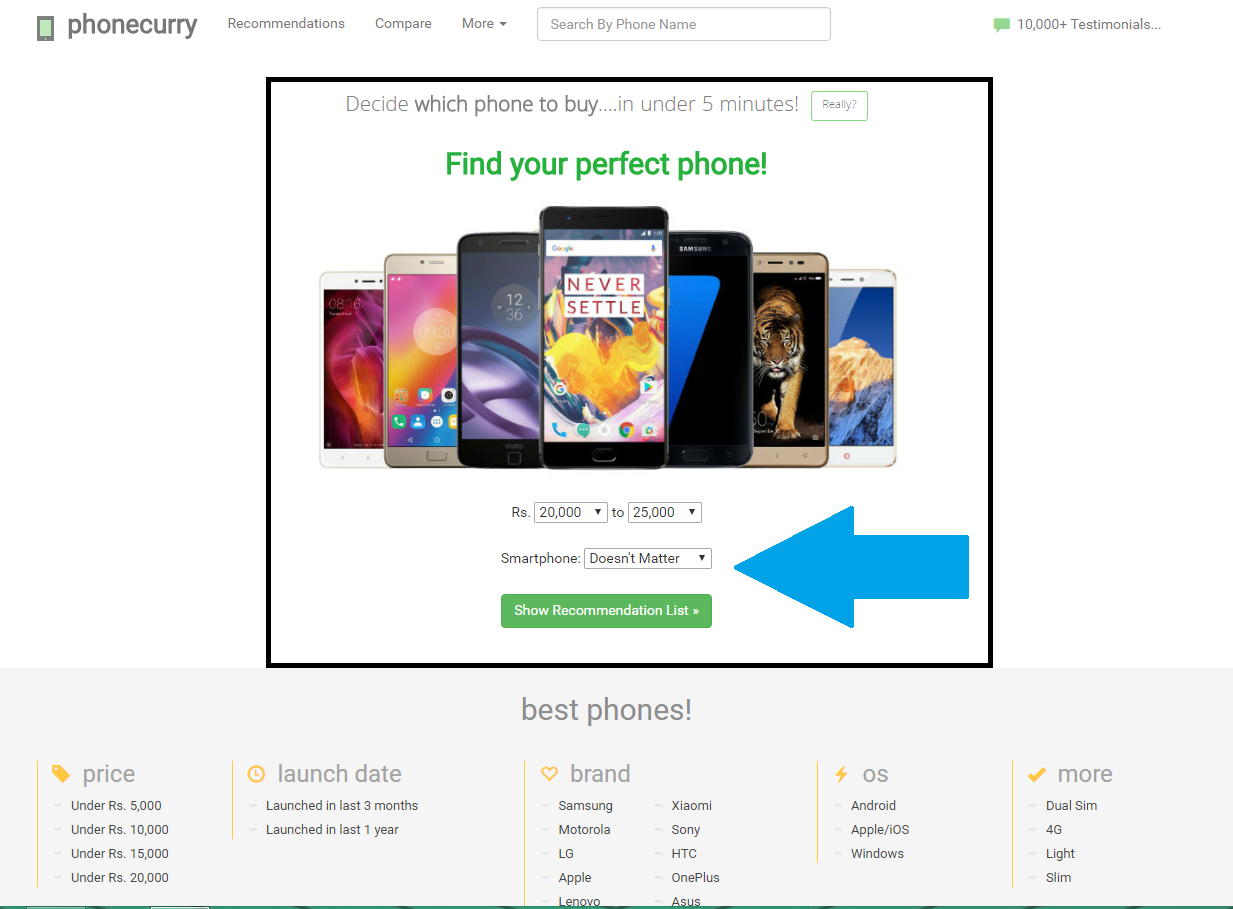
2:Once the website is open you can Check the "Find your perfect phone" on the center of the screen. From here you can change the range you are looking for along with the Type of smart phone you want to buy


3: For E.G. i am looking for a phone in price Bracket of RS 20,000 TO 25,000 and the Smartphone type is "Android". I will select it from the Drop Down menu and click "Show Results"
4: The result are now shown and there are plenty of options to choose. To narrow the Search results according to your preference you can change settings from the left panel of the website as you can see there are Filters for "Launch Date" "Any Specific Brands" etc etc.
 5:Suppose i want to buy a phone from Motorola from the brands Filter i will choose Motorola and click "Search Again"

6:After clicking "Search Again". The site shows which phone met my needs as i was looking a phone in the category of RS 20,000 to 25,000 and of Motorola
 7: After Clicking on the Phone the Site is showing me the cheapest options to buy along with the Promotional Offers on the Particular
E-sellers . Along with Experts Comments and Opinions with Pros and Cons

And the Good Part is you can even compare the phone selected with other phones of the same category to choose the best option for you!
So i hope this blog might have helped you to Choose better at a cheap price along with offers :)
Thanks for reading!

The advantage of this website is that it will compare the prices of all the online e-stores which has the product and will show in the "Recommendation List" category. The prices shown are in INR(Indian Rupee)
How to use the Website?
1: Open Link Phonecurry.

2:Once the website is open you can Check the "Find your perfect phone" on the center of the screen. From here you can change the range you are looking for along with the Type of smart phone you want to buy


6:After clicking "Search Again". The site shows which phone met my needs as i was looking a phone in the category of RS 20,000 to 25,000 and of Motorola

E-sellers . Along with Experts Comments and Opinions with Pros and Cons

And the Good Part is you can even compare the phone selected with other phones of the same category to choose the best option for you!
So i hope this blog might have helped you to Choose better at a cheap price along with offers :)
Thanks for reading!
Comments
Post a Comment